> ## Documentation Index
> Fetch the complete documentation index at: https://dripart-docs-custom-nodes-sdk-v2-frontend.mintlify.site/llms.txt
> Use this file to discover all available pages before exploring further.

# Hunyuan 3D API 节点模型生成 ComfyUI 官方示例

> 本文将介绍如何在 ComfyUI 中使用 Hunyuan 3D 节点的 API 进行 3D 模型生成


混元3D 3.0 是腾讯推出的最先进的 3D 生成模型，可在几分钟内完成 3D 内容创建。它可以通过文本提示、图像或草图生成可用于生产的 3D 资产，大大降低了传统 3D 建模流程的门槛。

ComfyUI 现已原生集成了相应的混元3D API，让您可以方便地在 ComfyUI 中使用相关节点进行模型生成。

目前，ComfyUI 的合作节点支持以下混元3D 模型生成功能：

* 文本到 3D 生成
* 图像到 3D 生成
* 多视图到 3D 生成

<Tip>
  使用 API 节点需要保证你已经正常登录，并在受许可的网络环境下使用，请参考[API 节点总览](/zh/tutorials/partner-nodes/overview)部分文档来了解使用 API 节点的具体使用要求。
</Tip>

<Tip>
  <Tabs>
    <Tab title="本地用户">
      请确保你的 ComfyUI 已经更新。

      * [ComfyUI 下载](https://www.comfy.org/download)
      * [ComfyUI 更新教程](/zh/installation/update_comfyui)

      本指南里的工作流可以在[工作流模板](/zh/interface/features/template)中找到。如果找不到，可能是 ComfyUI 没有更新。

      如果加载工作流时有节点缺失，可能原因有：

      1. 你用的不是最新版（每夜版）。
      2. 启动时有些节点导入失败。
    </Tab>

    <Tab title="云端用户">
      * [Cloud](https://cloud.comfy.org) 会在 ComfyUI 稳定版本发布后更新。

      所以，如果你发现本文档中有任何核心节点缺失，可能是因为新核心节点尚未在最新稳定版中发布。请等待下一个稳定版发布。
    </Tab>
  </Tabs>
</Tip>

## 混元3D 3.0 擅长什么

* **游戏开发构思**：快速生成角色、道具和场景，并具备优化的拓扑结构，适合绑定和实时渲染
* **产品与电商**：将产品照片转换为可在线展示的交互式3D模型
* **工业设计**：草图转3D原型制作，以及可直接3D打印的部件分解
* **VFX与动画**：具有专业UV和PBR材质的高分辨率资产

<Tip>
  使用 API 节点需要保证你已经正常登录，并在受许可的网络环境下使用，请参考[API 节点总览](/zh/tutorials/partner-nodes/overview)部分文档来了解使用 API 节点的具体使用要求。
</Tip>

<Tip>
  <Tabs>
    <Tab title="本地用户">
      请确保你的 ComfyUI 已经更新。

      * [ComfyUI 下载](https://www.comfy.org/download)
      * [ComfyUI 更新教程](/zh/installation/update_comfyui)

      本指南里的工作流可以在[工作流模板](/zh/interface/features/template)中找到。如果找不到，可能是 ComfyUI 没有更新。

      如果加载工作流时有节点缺失，可能原因有：

      1. 你用的不是最新版（每夜版）。
      2. 启动时有些节点导入失败。
    </Tab>

    <Tab title="云端用户">
      * [Cloud](https://cloud.comfy.org) 会在 ComfyUI 稳定版本发布后更新。

      所以，如果你发现本文档中有任何核心节点缺失，可能是因为新核心节点尚未在最新稳定版中发布。请等待下一个稳定版发布。
    </Tab>
  </Tabs>
</Tip>

## 开始使用

### 1. 访问工作流模板

1. 打开侧边栏中的模板库
2. 导航到 **3D** → **Hunyuan 3D**
3. 选择 Hunyuan 3D 的工作流模板

### 2. 运行工作流

1. 根据工作流类型输入文本提示、图像或草图
2. 点击 `Run` 按钮，或使用快捷键 `Ctrl(cmd) + Enter` 执行模型生成
3. 工作流完成后，预览并导出您的 3D 模型

<h3 id="api_hunyuan3d_text_to_model">
  HunYuan3D：文本转模型
</h3>

输入文本提示或上传参考图像，生成精细的 3D 模型资源。

**示例提示**：“带有齿轮的机械海豚，蒸汽朋克”

<img src="https://raw.githubusercontent.com/Comfy-Org/workflow_templates/main/templates/api_hunyuan3d_text_to_model-1.webp" alt="HunYuan3D：文本转模型工作流预览" />

<CardGroup cols={2}>
  <Card title="在 Comfy Cloud 上运行" icon="cloud" href="https://cloud.comfy.org/?template=api_hunyuan3d_text_to_model&utm_source=docs&utm_medium=referral&utm_campaign=hunyuan3d-3-0">
    在 Comfy Cloud 中打开
  </Card>

  <Card title="下载工作流" icon="download" href="https://github.com/Comfy-Org/workflow_templates/blob/main/templates/api_hunyuan3d_text_to_model.json">
    下载 JSON，或在模板库中搜索 "HunYuan3D: Text to Model"
  </Card>
</CardGroup>

<h3 id="api_hunyuan3d_image_to_model">
  HY 3D：图像转模型
</h3>

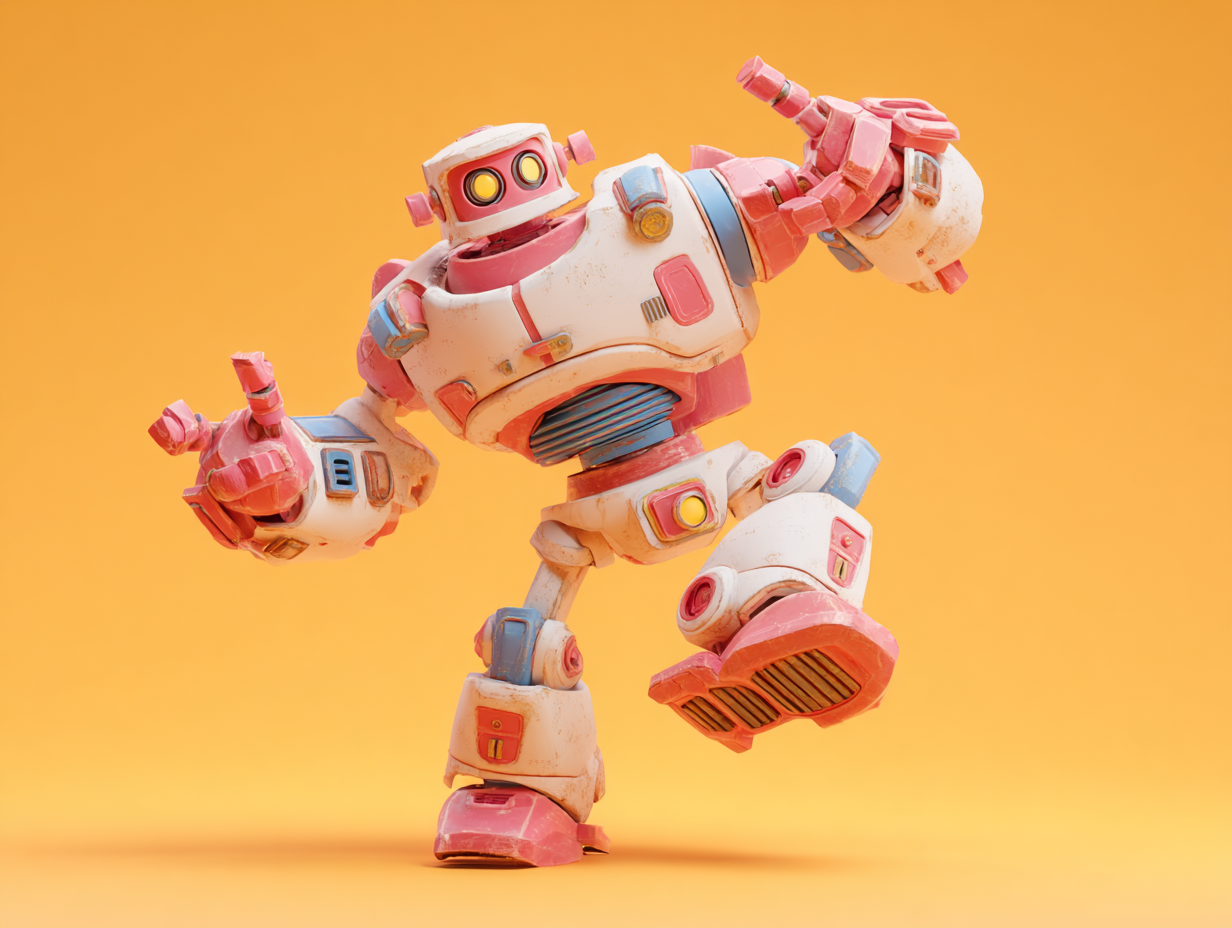
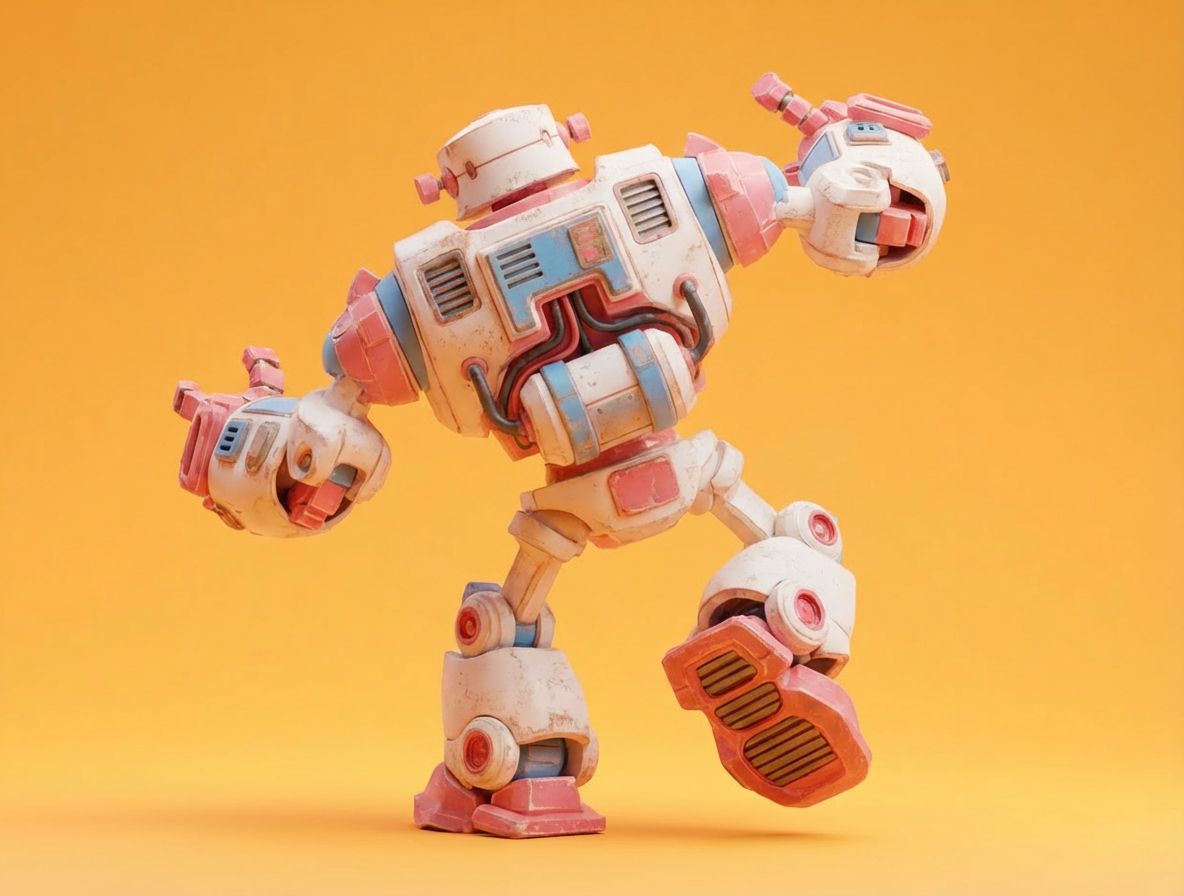
上传图像，生成包含几何与 PBR 纹理的 3D 模型。上传 2–4 张不同角度的多视角图像，可提高几何与材质的保真度。

<img src="https://raw.githubusercontent.com/Comfy-Org/workflow_templates/main/templates/api_hunyuan3d_image_to_model-1.webp" alt="HY 3D：图像转模型工作流预览" />

<CardGroup cols={2}>
  <Card title="在 Comfy Cloud 上运行" icon="cloud" href="https://cloud.comfy.org/?template=api_hunyuan3d_image_to_model&utm_source=docs&utm_medium=referral&utm_campaign=hunyuan3d-3-0">
    在 Comfy Cloud 中打开
  </Card>

  <Card title="下载工作流" icon="download" href="https://github.com/Comfy-Org/workflow_templates/blob/main/templates/api_hunyuan3d_image_to_model.json">
    下载 JSON，或在模板库中搜索 "HY 3D: Image to Model"
  </Card>
</CardGroup>

**输入素材**

将以下文件上传到对应的 `LoadImage` 节点：

<CardGroup cols={2}>
  <Card title="pink_robot_front.png" icon="image" href="https://raw.githubusercontent.com/Comfy-Org/workflow_templates/main/input/pink_robot_front.png">
    `LoadImage` 节点 1 · `pink_robot_front.png`
  </Card>

  <Card title="pink_robot_back.png" icon="image" href="https://raw.githubusercontent.com/Comfy-Org/workflow_templates/main/input/pink_robot_back.png">
    `LoadImage` 节点 10 · `pink_robot_back.png`
  </Card>
</CardGroup>

<div style={{display: 'grid', gridTemplateColumns: 'repeat(2, minmax(0, 1fr))', gap: '1rem', alignItems: 'start'}}>
  <img src="https://raw.githubusercontent.com/Comfy-Org/workflow_templates/main/input/pink_robot_front.png" alt="pink_robot_front.png" style={{width: '100%', height: 'auto', objectFit: 'contain'}} />

  <img src="https://raw.githubusercontent.com/Comfy-Org/workflow_templates/main/input/pink_robot_back.png" alt="pink_robot_back.png" style={{width: '100%', height: 'auto', objectFit: 'contain'}} />
</div>

## 高级功能

继 [混元3D 3.0 初始集成](https://blog.comfy.org/p/hunyuan-3d-30-in-comfyui-state-of) 之后，混元3D 的高级处理功能现已通过合作节点提供。这些工作流通过将关键后处理步骤引入 ComfyUI，帮助弥合生成与生产之间的差距。

<h3 id="api_hunyuan3d_part">
  混元3D：3D 零件分解
</h3>

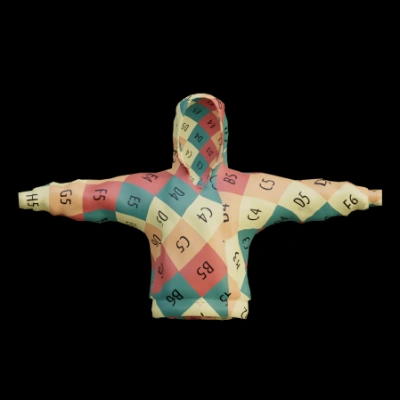
上传 3D 模型，自动将其分割为各个组成部分，从而生成完全分解的 3D 资产，便于复用和编辑。

<img src="https://raw.githubusercontent.com/Comfy-Org/workflow_templates/main/templates/api_hunyuan3d_part-1.webp" alt="混元3D：3D 零件分解工作流预览" />

<CardGroup cols={2}>
  <Card title="在 Comfy Cloud 上运行" icon="cloud" href="https://cloud.comfy.org/?template=api_hunyuan3d_part&utm_source=docs&utm_medium=referral&utm_campaign=hunyuan3d-3-0">
    在 Comfy Cloud 中打开
  </Card>

  <Card title="下载工作流" icon="download" href="https://github.com/Comfy-Org/workflow_templates/blob/main/templates/api_hunyuan3d_part.json">
    下载 JSON，或在模板库中搜索“HY 3D: 3D Parts Decomposition”
  </Card>
</CardGroup>

<h3 id="api_hunyuan3d_model2uv">
  混元3D：UV 展开
</h3>

上传 3D 模型以执行 UV 展开。生成具有优化 UV 布局的处理后模型，用于贴图。

<img src="https://raw.githubusercontent.com/Comfy-Org/workflow_templates/main/templates/api_hunyuan3d_model2uv-1.webp" alt="混元3D：UV 展开工作流预览" />

<CardGroup cols={2}>
  <Card title="在 Comfy Cloud 上运行" icon="cloud" href="https://cloud.comfy.org/?template=api_hunyuan3d_model2uv&utm_source=docs&utm_medium=referral&utm_campaign=hunyuan3d-3-0">
    在 Comfy Cloud 中打开
  </Card>

  <Card title="下载工作流" icon="download" href="https://github.com/Comfy-Org/workflow_templates/blob/main/templates/api_hunyuan3d_model2uv.json">
    下载 JSON，或在模板库中搜索“HY 3D: UV Unwrapping”
  </Card>
</CardGroup>

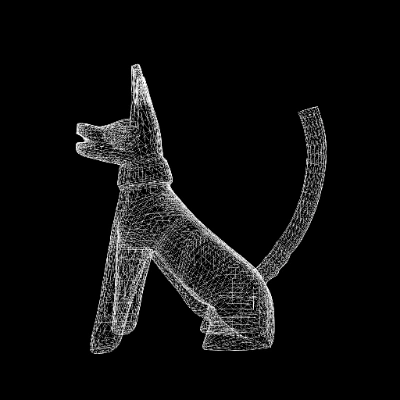
<h3 id="api_hunyuan3d_smart_topology">
  混元3D：智能拓扑
</h3>

上传高多边形 3D 模型文件。按指定的减面级别生成低多边形、拓扑优化的 3D 模型。
<img src="https://raw.githubusercontent.com/Comfy-Org/workflow_templates/main/templates/api_hunyuan3d_smart_topology-1.webp" alt="混元3D：智能拓扑工作流预览" />

<CardGroup cols={2}>
  <Card title="在 Comfy Cloud 上运行" icon="cloud" href="https://cloud.comfy.org/?template=api_hunyuan3d_smart_topology&utm_source=docs&utm_medium=referral&utm_campaign=hunyuan3d-3-0">
    在 Comfy Cloud 中打开
  </Card>

  <Card title="下载工作流" icon="download" href="https://github.com/Comfy-Org/workflow_templates/blob/main/templates/api_hunyuan3d_smart_topology.json">
    下载 JSON，或在模板库中搜索“HY 3D: Smart Topology”
  </Card>
</CardGroup>